When you switch your existing Google Merchant Center account to our Sellie CSS service, we don’t automatically gain access to your Merchant Center account. This means we can’t view your settings or data, and therefore can’t provide you with proper support or help solve potential issues.
To let us assist you, please grant us admin access. It’s quick and easy – takes less than 2 minutes.
Step-by-step instructions:
Log in to your Google Merchant Center account: 👉 https://merchants.google.com/
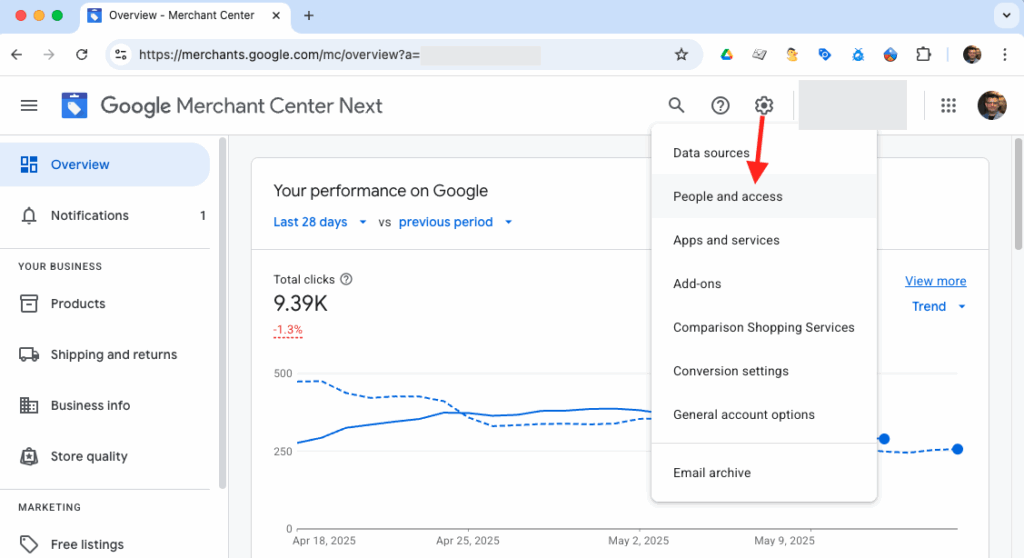
In the top-right corner, click the Settings icon and go to People and access.
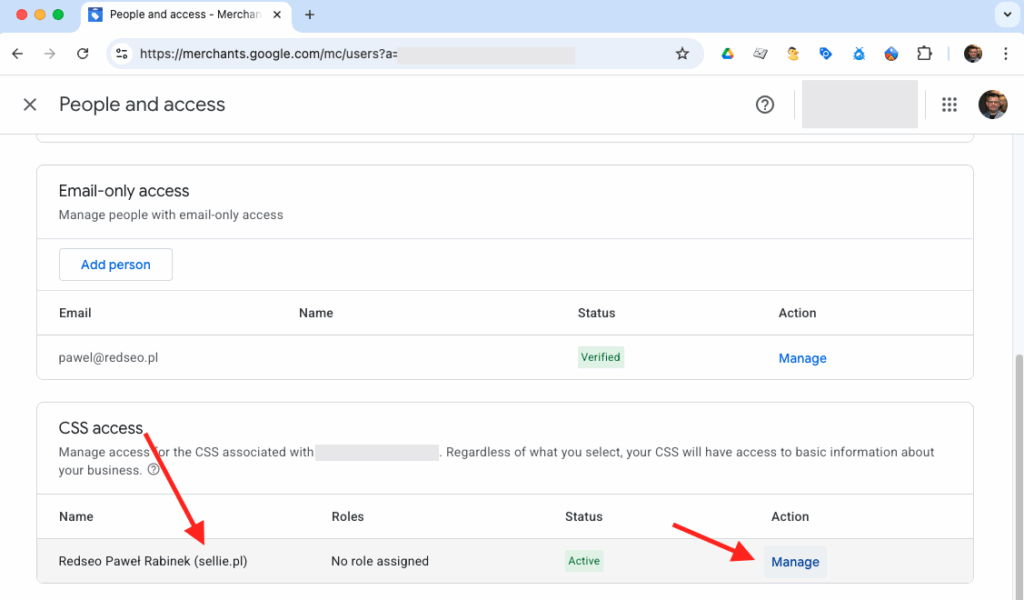
Scroll down to the CSS access section. You’ll see our service listed as: Redseo Paweł Rabinek (sellie.pl) – click Manage.
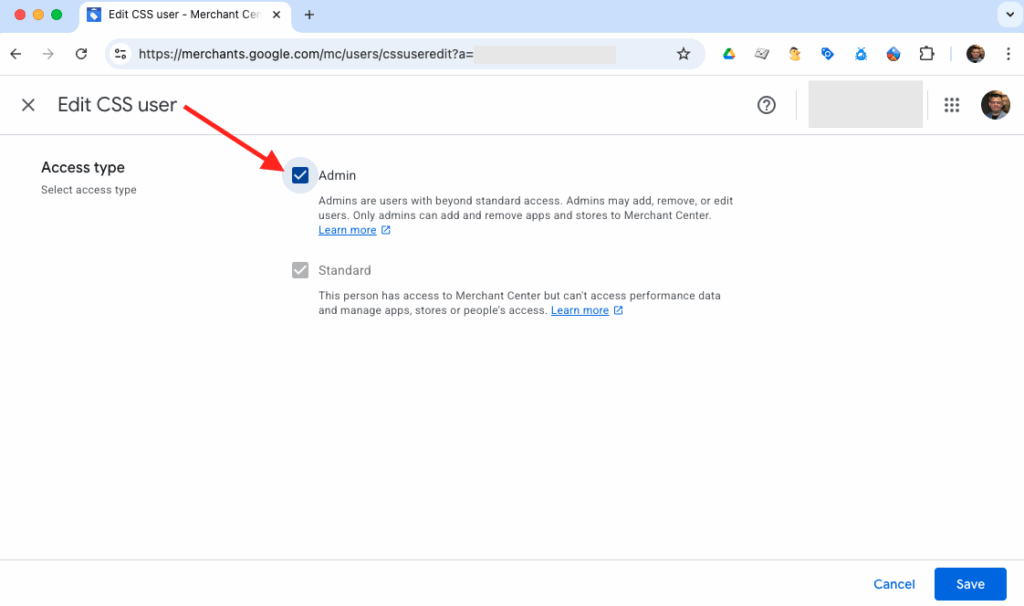
Choose the Admin access level and save the changes.
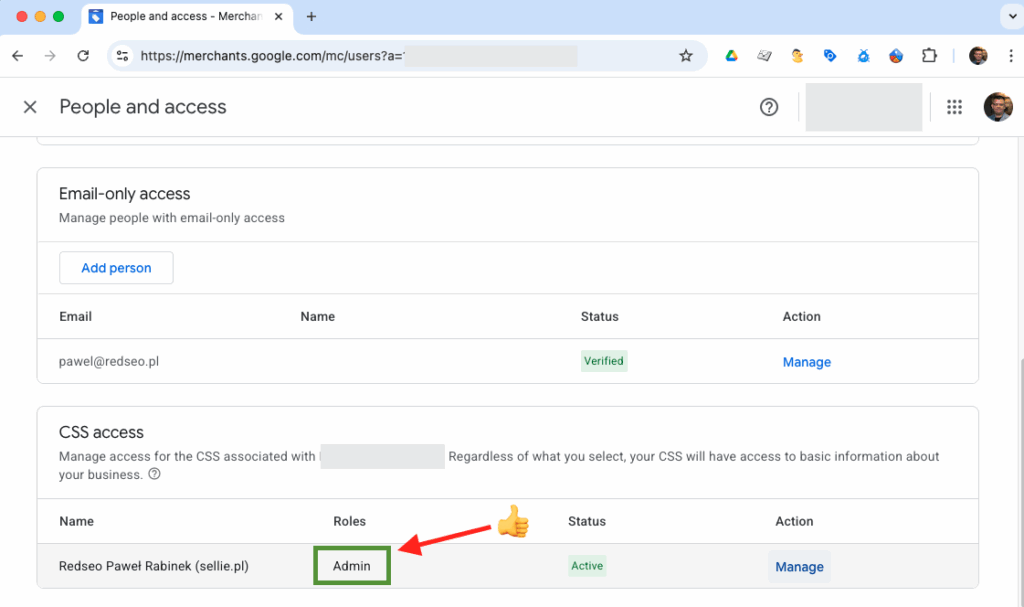
From now on, our Sellie CSS team will have access to your account and can provide full support whenever you need it.
If you have any questions – feel free to reach out. We’re here to help!
Don’t have a Sellie CSS Merchant Center account yet?
Check out the current offer and get started now!